


.svg)

Playwright has gone from a browser automation library most QA teams had never heard of to one of the most-searched testing frameworks in the industry, and interest keeps climbing. If you're evaluating it for your team, comparing it to Selenium or Cypress, or just trying to understand what the interest is about, this guide covers the fundamentals: what Playwright actually is, how it works, what it's used for, and where to go next once you're ready to dig into best practices.
THE SHORT ANSWER
What is Playwright, at a glance:
• A free, open source end-to-end testing framework built and maintained by Microsoft
• It automates Chromium, WebKit, and Firefox through a single API, in JavaScript, TypeScript, Python, Java, or .NET
• Built for modern web apps, with auto-waiting, network interception, and parallel test execution out of the box
• Commonly used for UI testing, API testing, and visual regression testing
The rest of this guide walks through each of these in more detail, including what to know before you write your first test.
What Is Playwright?
Playwright is an open source end-to-end testing framework for web applications. Microsoft launched it on January 31, 2020, built by a team that included engineers who had previously worked on Puppeteer at Google. That lineage shows: Playwright picked up Puppeteer's approach to browser automation and extended it into a genuinely cross-browser tool, something Puppeteer itself was never designed to be.
At its core, Playwright gives you one API that drives three browser engines: Chromium, WebKit, and Firefox. That single API also covers the branded builds most teams actually care about, including Stable, Beta, Dev, and Canary channels of Google Chrome and Microsoft Edge. It runs on Windows, macOS, and Linux, and it supports native mobile emulation for Chrome on Android and Mobile Safari, so you can validate mobile web experiences without a device farm for every test.
Playwright isn't tied to one programming language, either. It ships official support for JavaScript and TypeScript, Python, Java, and .NET, which is a big part of why it's spread so quickly across teams that don't all write tests in the same language.
It's released under the Apache License 2.0, which means it's free to use, free to modify, and free to redistribute, with no licensing fees regardless of team size or how many browsers you test against.
| Playwright at a Glance The essentials, in one place |
|
|---|---|
| MAINTAINER | Microsoft, launched January 31, 2020 |
| LICENSE | Apache License 2.0 (free and open source) |
| BROWSER ENGINES | Chromium, WebKit, Firefox, plus branded Chrome and Edge channels |
| LANGUAGES | JavaScript, TypeScript, Python, Java, .NET |
| OPERATING SYSTEMS | Windows, macOS, Linux |
| MOBILE EMULATION | Chrome on Android, Mobile Safari |
Source: Playwright official documentation
How Does Playwright Work?
The short version: Playwright drives real browsers through a single API, and it's built around a few design choices that make tests faster to write and less likely to break for the wrong reasons.
The first is auto-waiting. Instead of your test needing to guess how long to pause before clicking a button or reading a value, Playwright waits for an element to actually be ready, attached to the page, visible, stable, and able to receive the action, before it acts on it. That single design choice eliminates a large share of the flaky, timing-related failures that plague older automation tools.
The second is isolation. Every test gets its own browser context, essentially a fresh, isolated browser profile with its own cookies, local storage, and cache. That means tests don't leak state into each other, so a failure in one test doesn't cascade into false failures somewhere else in the suite.
The third is that Playwright treats the network as something you can observe and control, not just something that happens in the background. You can intercept requests, mock responses, and wait for specific network activity as part of a test, which matters a lot for apps that depend heavily on APIs.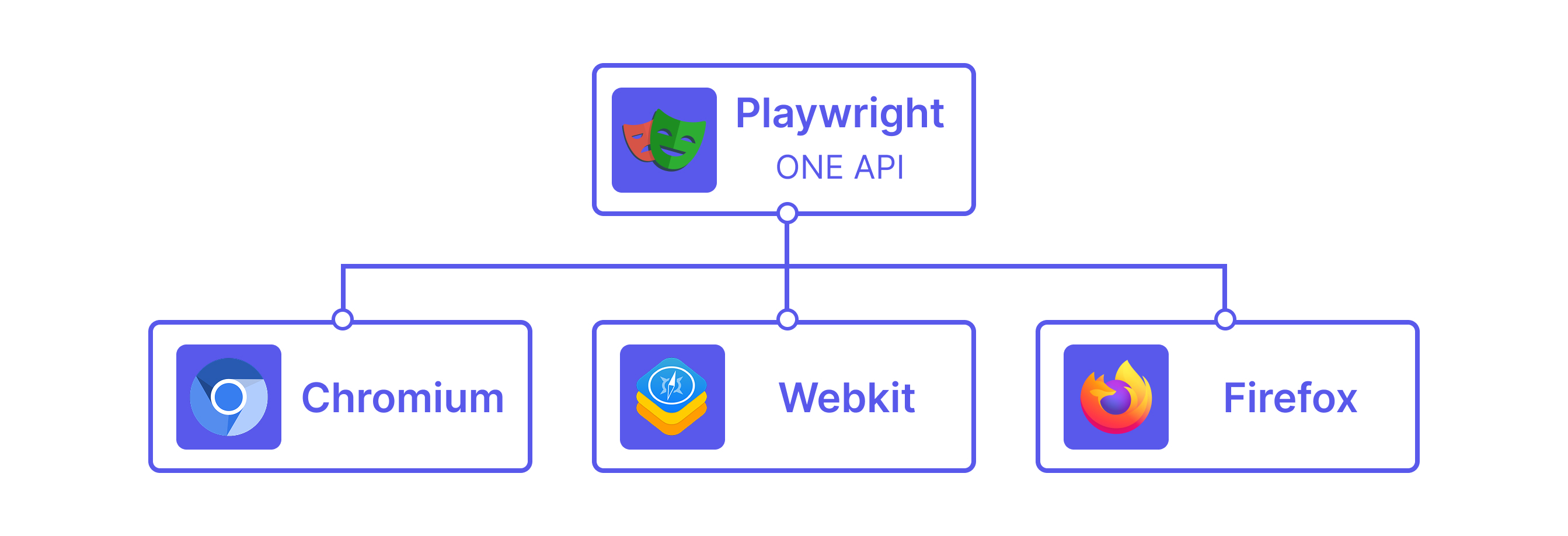
Is Playwright Free and Open Source?
Yes. Playwright is fully open source under the Apache License 2.0, and there's no paid tier, license fee, or usage cap for the framework itself. You can use it on a personal project or at enterprise scale without a licensing conversation. (If you later add cloud infrastructure for running tests at scale, like a hosted grid or cross-browser cloud, that's typically a separate paid service on top of Playwright itself, not a cost imposed by Playwright.)
What Is Playwright Used For?
Most teams reach for Playwright for one or more of the following:
- End-to-end UI testing: simulating real user flows, like logging in, filling out a form, or completing a checkout, across a real browser.
- API testing: Playwright can send and validate HTTP requests directly, without a browser in the loop, which makes it useful for testing backend endpoints alongside UI flows in the same test suite.
- Visual regression testing: built-in screenshot comparison makes it straightforward to catch unintended visual changes between releases.
- Cross-browser and mobile-emulation testing: running the same test against Chromium, Firefox, and WebKit, or against a mobile viewport, without rewriting the test for each target.
Playwright vs. Other Testing Tools
If you're weighing Playwright against the tools you already know, you're not alone. It's one of the most common questions teams ask once they understand what Playwright does. Rather than re-covering that ground here, we've broken down the two most common comparisons in depth: read Playwright vs. Selenium if you're coming from a Selenium-based suite, or Playwright vs. Cypress if Cypress is your current baseline.
Getting Started with Playwright
Installing Playwright is a short process: a single command, typically npm init playwright@latest for a Node.js project, scaffolds a working project, downloads the browser binaries you need, and generates an example test you can run immediately with npx playwright test. From there, most teams use the built-in codegen tool to record actions in a real browser and generate the corresponding test code automatically.
That's genuinely the short version. If you're setting up Playwright for the first time and want a full step-by-step walkthrough, including install steps and running configuration, we'll cover that in a dedicated getting-started guide.
Best Practices at a Glance
Knowing what Playwright is and how to install it is the easy part. The harder, more valuable skill is writing tests that stay reliable as your app changes, which is where most teams new to Playwright actually struggle. A few habits matter more than the rest: testing what users actually see rather than implementation details, using Playwright's built-in locators instead of brittle CSS selectors, and keeping each test isolated from the others.
We've written a full breakdown of these habits, with the reasoning behind each one, in Playwright best practices: a practical guide to reliable test automation.
Where Playwright Fits Into a Broader QA Strategy
Playwright is excellent at what it's built for: driving browsers and asserting on what happens. What it doesn't give you out of the box is visibility across everything else in your testing process, manual test cases, results from other frameworks, defect tracking, and release readiness, all in one place. That's usually the point where teams running Playwright at scale start looking at how to bring its results into a broader test management layer alongside the rest of their QA work. If that's a gap you're starting to feel, we've covered how to connect Playwright into a unified reporting layer in how to add test management to Playwright, without a rewrite.
Conclusion
Playwright earned its growing popularity by solving real problems: flaky waits, single-browser tooling, and the friction of testing across languages and teams. It's free, genuinely cross-browser, and built with the kind of defaults, auto-waiting, isolation, and network control, that make tests easier to trust. Once you're comfortable with what it is and how it works, the best practices guide linked above is the natural next step for making sure your test suite stays reliable as it grows.
|
