


.svg)

June's releases share one thread: less setup between what you already know and a working test. Production Insights can turn a single real user session into a test case without a full Journey Map first. Katalon AI Assistant now reads the docs and boards your team already works in, shows its reasoning as it goes, and reaches apps your CI never could. Test management got safer to run at scale, with version history, ALM sync, and encrypted secrets. Here's everything that shipped.
True Production Insights: generate tests from a user session
Production Insights can now generate test cases directly from a single captured user session, without building a full Journey Map first.
Here's how it works:
- Search captured user sessions by environment, date range, session attributes, or URL keywords.
- Review the session detail, the recorded steps, and a replay before you generate anything.
- Generate one selected session, or bulk-generate several, straight into Production Insights test cases. Artifacts save to your configured project repository.
If you already know the exact session you want to automate, you no longer have to wait on a full Journey Map first. This feature is in beta.
More June improvements:
- Cleaner journey-map signal: Reserved webdriver session attributes now separate automation traffic from real user behavior across map, flow, and session workflows.
- More control over replay capture: Session Replay can be turned on per data-tracking environment instead of only at the broader application-under-test level.
- Journey maps that recover better: A failed Journey Map generation can be retried with its original configuration, including date range and filters.
- Stronger generated objects: Relative XPath candidate selection improved.
See the True Production Insights release notes · Generate test cases from user sessions
Katalon True Platform: author faster, run safer
June made test management faster to author in and safer to run at scale, with a rich-text editor, encrypted secrets, and two-way sync with the ALM tools your team already uses.
Rich-text manual test editor with version history
Write steps in full markdown: headings, tables, code blocks, and smart links, and insert new steps by keyboard (Cmd/Ctrl+Enter) without leaving the flow. Every save creates a version with author attribution and step-level change history, so you can see exactly what changed and who changed it.
Bidirectional ALM sync, for Jira/Xray and Azure DevOps
Requirements now flow in both directions:
- Requirements in: the requirement details page renders the linked Jira description, and Xray and Azure DevOps test cases are found and linked automatically inside test management.
- Results out: push execution results to both Xray and Azure Test Plans.
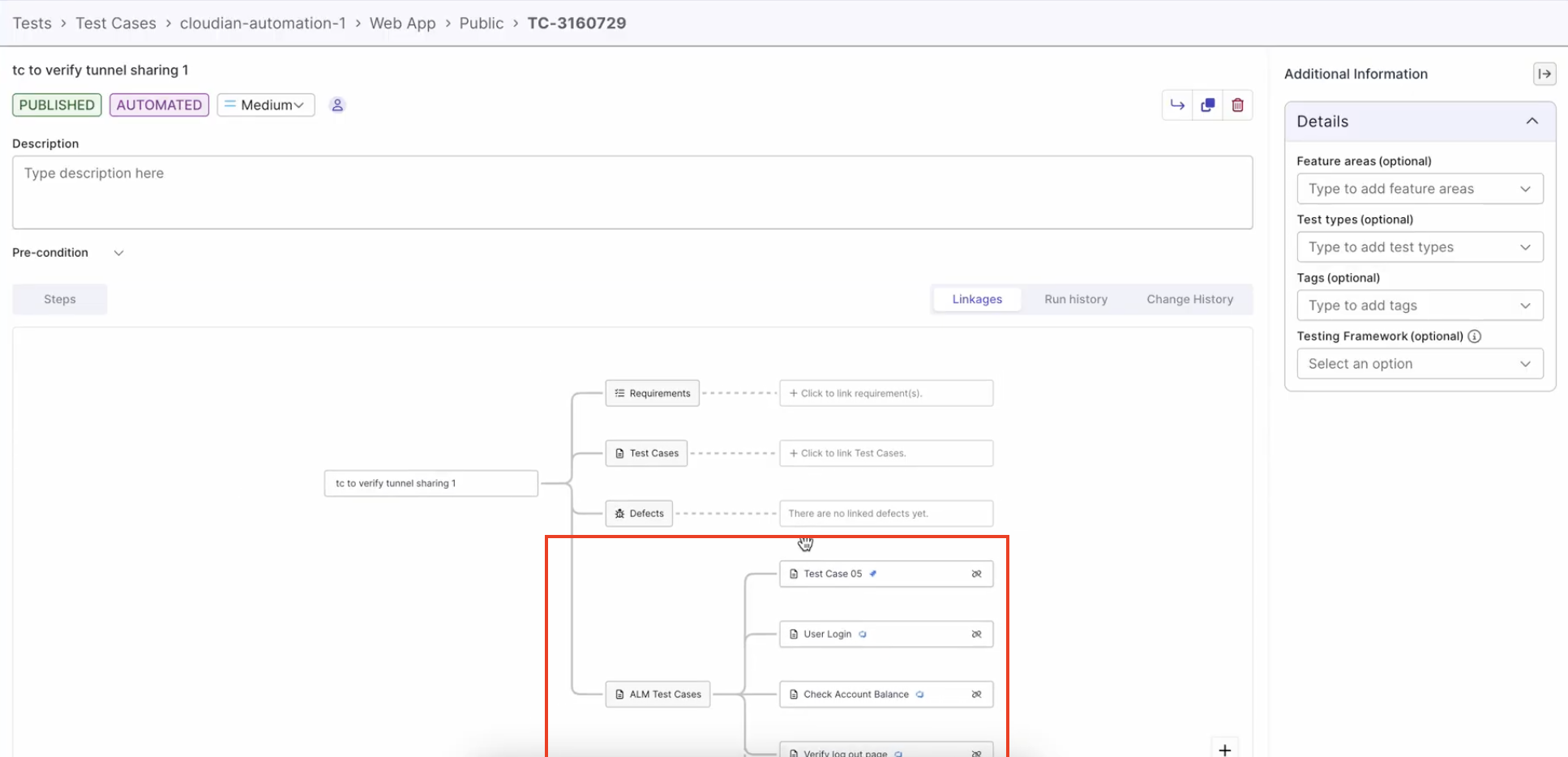
- One ALM view: linked Azure DevOps and Xray test cases now group under a single ALM Test Cases section, with a source badge showing where each one came from.
Secure secret management
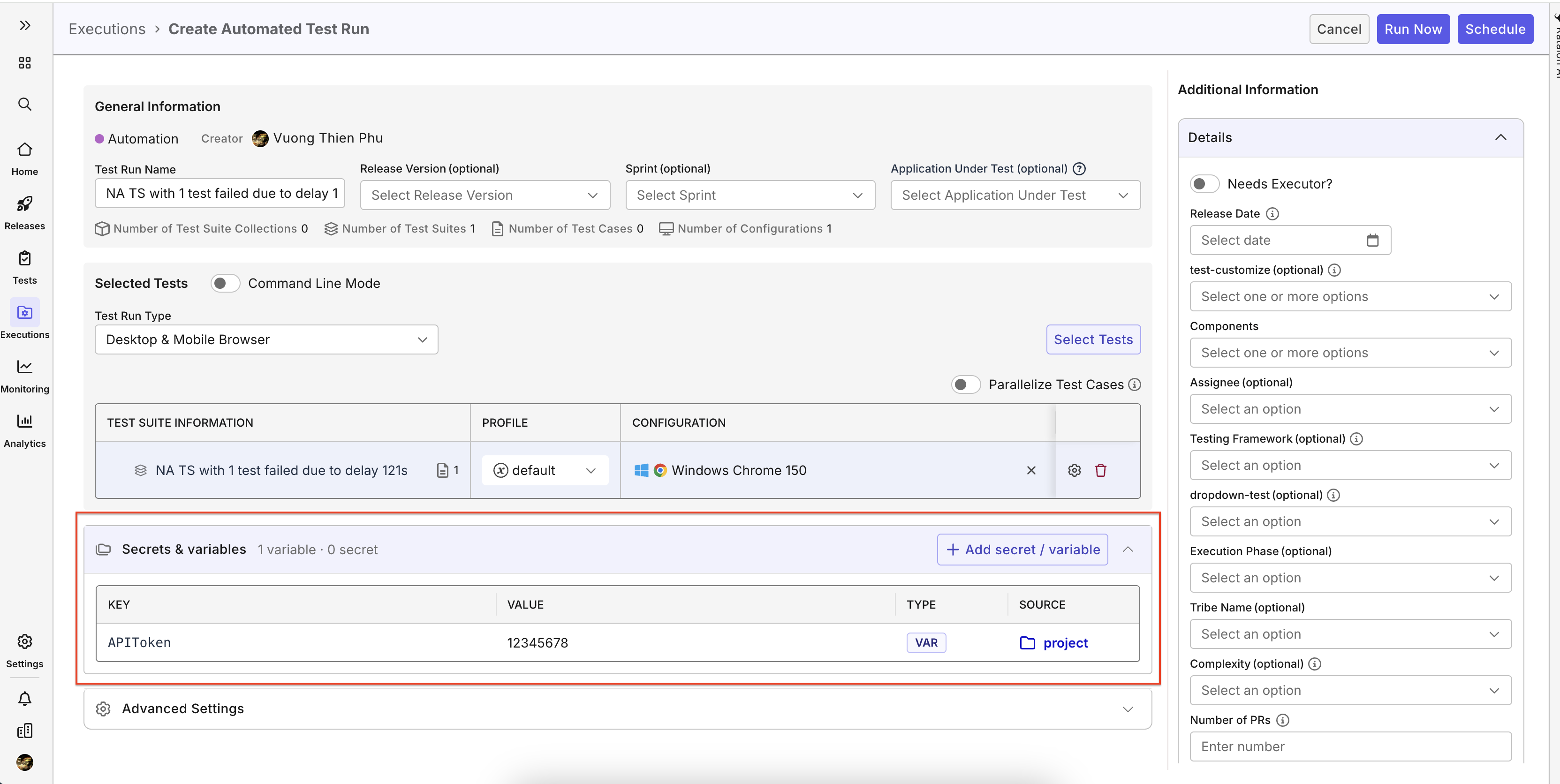
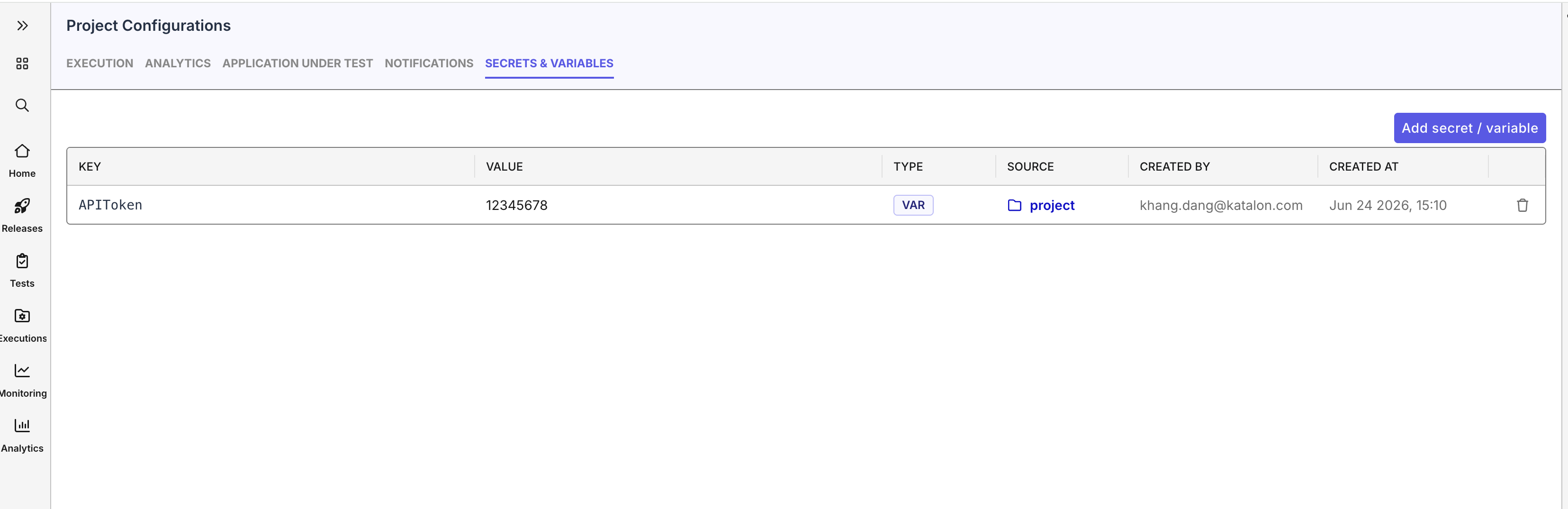
An encrypted credential store now backs Secret and Variables Management. Secrets bind at runtime and are redacted from outputs across test execution cloud and AI runner executions, so sensitive values never leak into logs or AI responses.
More June improvements
- New chrome navigation: refreshed layout, better Browse discoverability, a Browse/AI switcher, and tooltips on a collapsed navbar.
- Test Execution -Cloud control: configurable idle timeout for long async waits, plus user‑supplied additional KRE arguments when running from TestOps.
- 40+ stability fixes across the editor, dashboards, provisioning, and Xray/ALM linkage.
Katalon AI Assistant: memory, a workspace, and tools it can now reach
June turned Katalon AI Assistant from a capable assistant into one that remembers your project, connects to the tools your team already runs on, and shows its work while it runs.
Connect Katalon AI Assistant to your tools, with MCP connectors
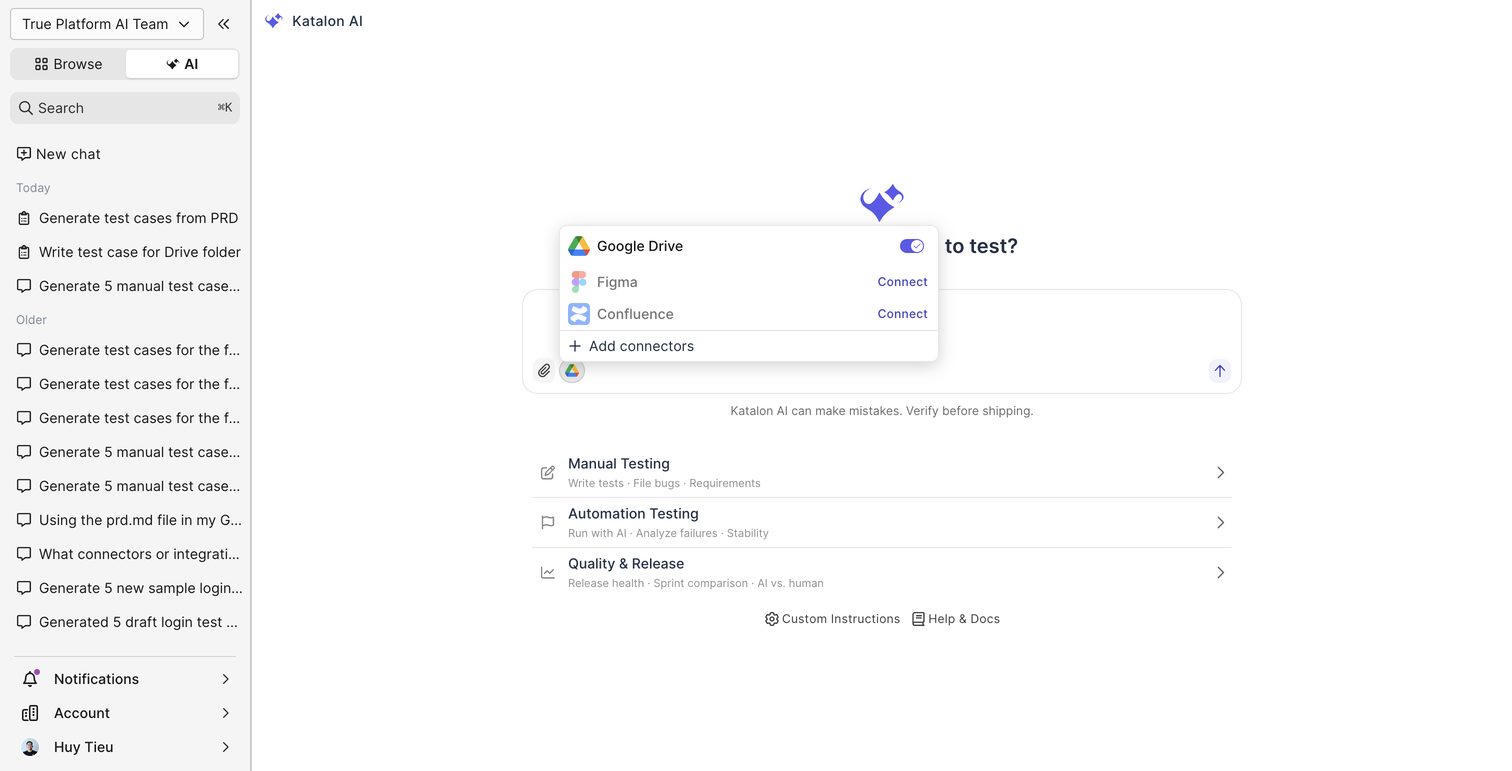
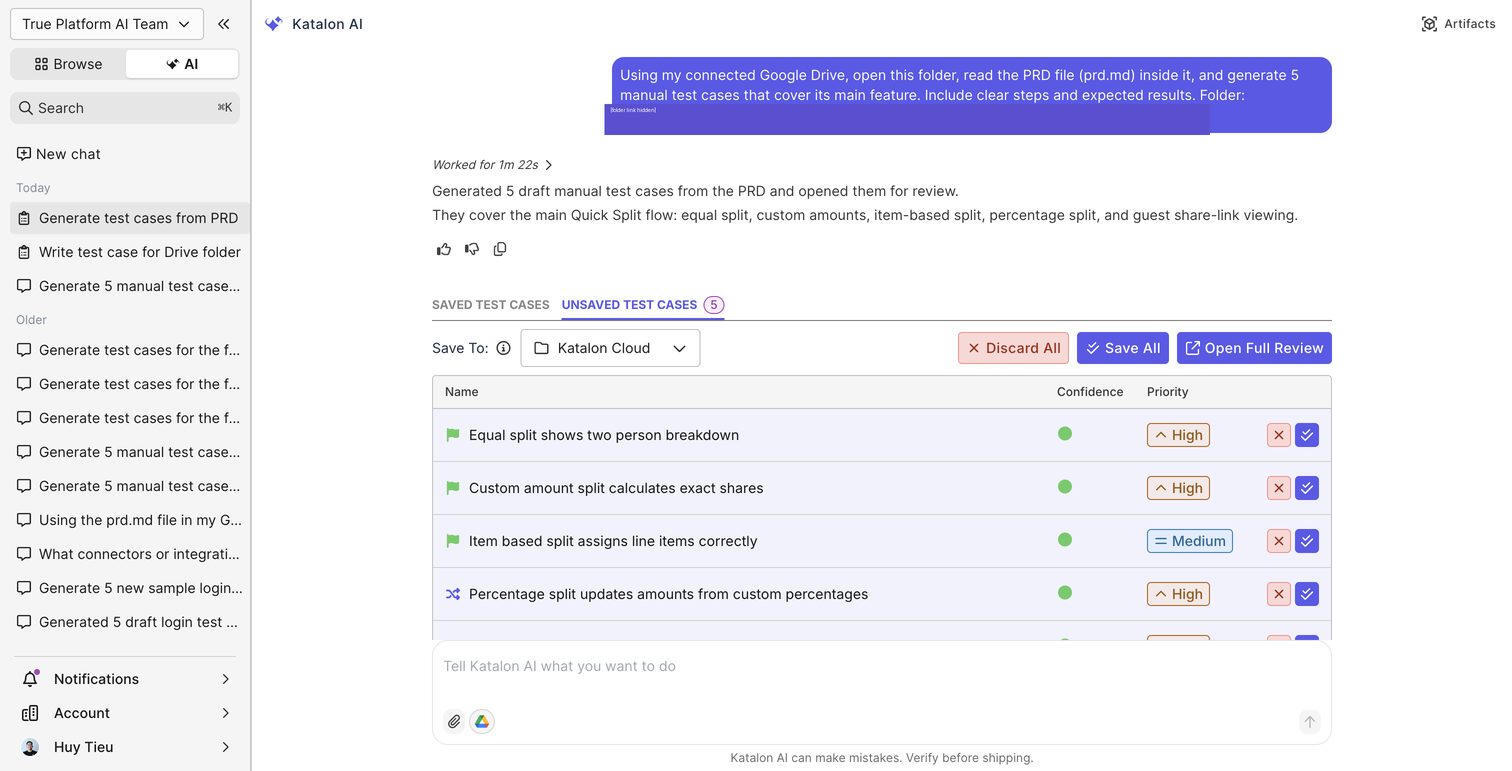
Open the connector picker in Katalon AI Assistant, connect an external system in one OAuth step, then ask in plain language. For example: "Read the PRD in this Google Drive folder and generate manual test cases." Katalon AI Assistant uses the connector to fetch that context and act on it. Review what it generates, then save straight into your project. Google Drive and Confluence connectors are available now. Figma, GitHub, and more are coming in July and August.
Katalon AI Assistant MCP connectors, for Jira and Azure DevOps
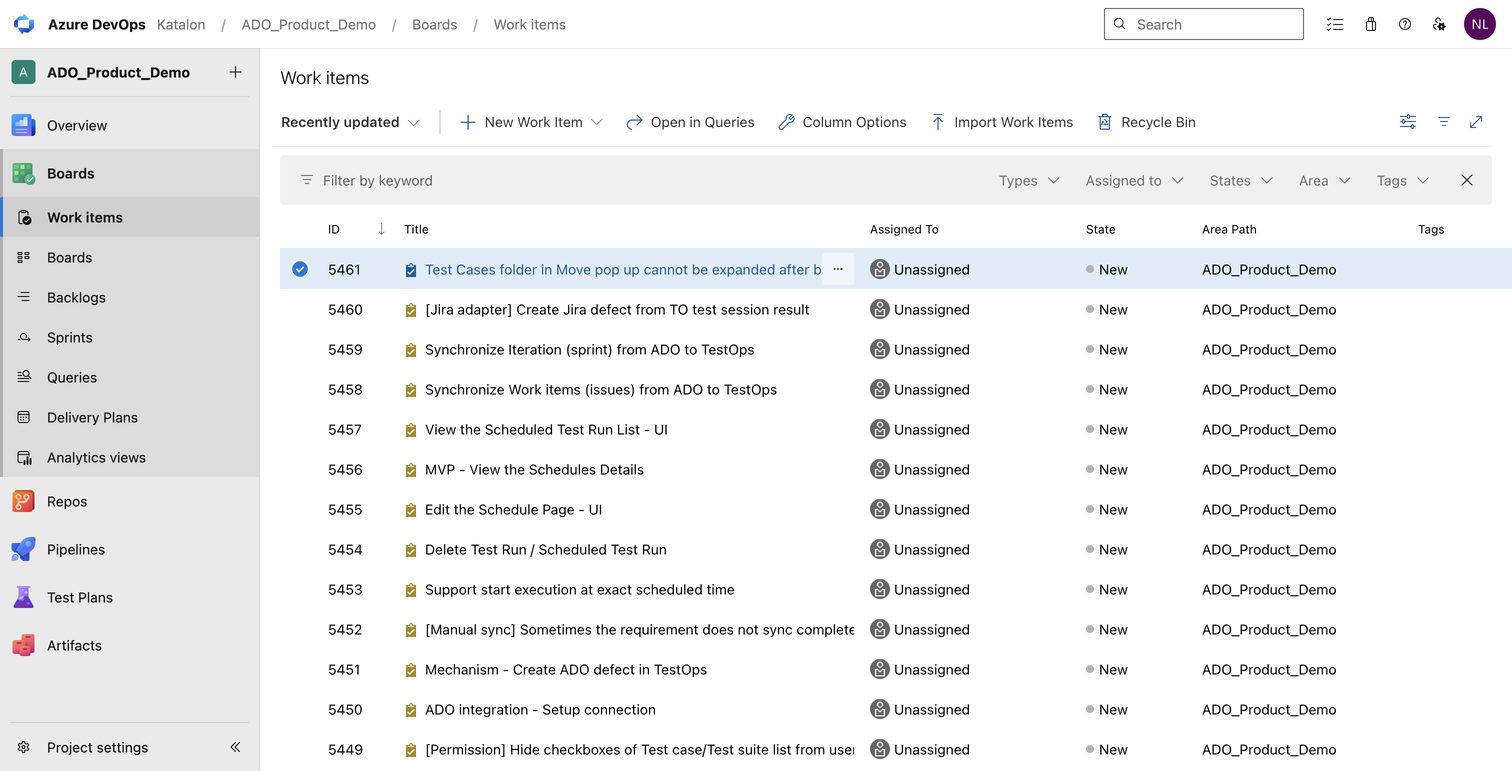
Connect your ALM in one OAuth step, Azure DevOps is available now and Jira arrives in July, then ask Katalon AI Assistant about your work items in plain language. It reads boards, backlogs, and issues through MCP and reasons over them, so you can turn that context into test cases without leaving the chat.
A real workspace in chat, with MCP Apps and the Artifact Panel
Generated outputs, follow-up questions, and rich artifacts now render in a dedicated side panel instead of raw chat text. Interactive MCP Apps, including Ask-User-Question, appear inline, so Katalon AI Assistant can gather what it needs without breaking your flow. Smarter pre-flight tool selection keeps requests under the 128-tool limit and aware of your active browser tabs.
Run with AI you can actually watch
Trigger Run with AI from the chat and a live progress banner shows the run is active. Request a status snapshot at any point, and get a single completion notification when the run finishes, no leaving the thread, no waiting blind.
Run with AI reaches more of the real app
Point it at an app on your localhost or a private network, behind your firewall, through a secure TestCloud tunnel, with no inbound network changes needed. Web interactions got more reliable too: drag-and-drop, multi-action steps such as clicking "Next" within a single step, and better Angular support, validated end to end on Salesforce Lightning.
More June Katalon AI Assistant improvements:
- A more capable underlying model in production, for sharper reasoning across Agent and Ask modes.
- More faithful test generation, with fixes to step dropping, step merging, and skill routing.
- Sharper validation that now catches intra-word spelling mistakes it used to let through.
Katalon Studio 11.3.0: cleaner authoring, more durable AI-generated tests
Studio 11.3.0 sharpens how you author, review, and maintain tests. Manually edited steps can now be organized into named intention groups, AI-generated API tests can be saved straight into your repository, and a wave of improvements across the AI Assistant, Smart Mobile Recorder, API testing, and execution reliability make the whole flow more dependable.
Intention Groups for manually edited test steps
In a Manual, Script, or Recorder Plus live session, select the steps you want to group, right-click, and select Group. The intention step becomes a named parent for the automation sub-steps that fulfill it, use Ungroup to reverse it. The hierarchy shows up consistently in the Log Viewer on execution and in Reports, turning a flat wall of generated steps into a readable, traceable flow.
It preserves the link between a business intent, like Login, and the automation underneath, so reviews are faster, debugging is clearer, and manual testers, automation engineers, and PMs can collaborate more easily.
Save AI-generated API test cases to the repository
Generate API tests with AI as usual, select the test cases you want to keep from the generated report, then save them into the Studio Test Case repository, where you can review them in Test Explorer and maintain them like any other test case. Generated API tests no longer live only in the generation report.
More June Studio improvements
- Smarter AI Assistant: automatically selects relevant tools before an agent request to avoid the 128-tool API limit; detects active and open tabs for better browser context; accepts more test object types as file attachments; and binds conversations to the project lifecycle.
- AI-generated indicators: test cases and objects created by the Web and Mobile Recording Agent are now visually marked, making generated artifacts easy to distinguish from manual ones.
- Smart Mobile Recorder usability: open a selected element's attributes pane, use context-menu actions during recording, and auto-scroll the Screen Objects tree to the selected object in Mobile Interactive Mode.
- Better API testing: Generic projects can select Web Service when executing a Test Suite Collection; API collections inherit authentication through intermediate folders; and API responses with non-standard JSON content types are handled as JSON.
- Richer reporting: JUnit reports now include custom data-driven iteration names and test case tags; Test Suite Collection emails attach the HTML report; and in-progress True Platform report uploads can be canceled.
- 21 fixes across Katalon Runtime Engine, Test Execution Cloud, Web Service payloads, PDF reports, Mobile AI Self-Healing, and macOS/Linux/Ubuntu execution reliability.
Download Studio 11.3.0 · See the release notes
Wrapping up
June's releases all point the same direction: shorten the distance between what you already know, a real session, a requirement doc, a Jira ticket, and a working, maintainable test.
True Production Insights turns one real session into a test case without a Journey Map detour. Katalon AI Assistant reads the docs and boards you already keep your context in, and shows its work while it runs. Test management got safer to scale, with version history, ALM sync, and encrypted secrets. Studio 11.3.0 keeps the tests you generate readable and durable, in the repository, not just a report.
Try what's new, and tell the team what should change next.

|
