


.svg)
Jev for QA: benefits, risks and where it fits in test automation
Learn with AI
Last updated: September 30, 2026. Jev is in early access and changing quickly. We review this page monthly.
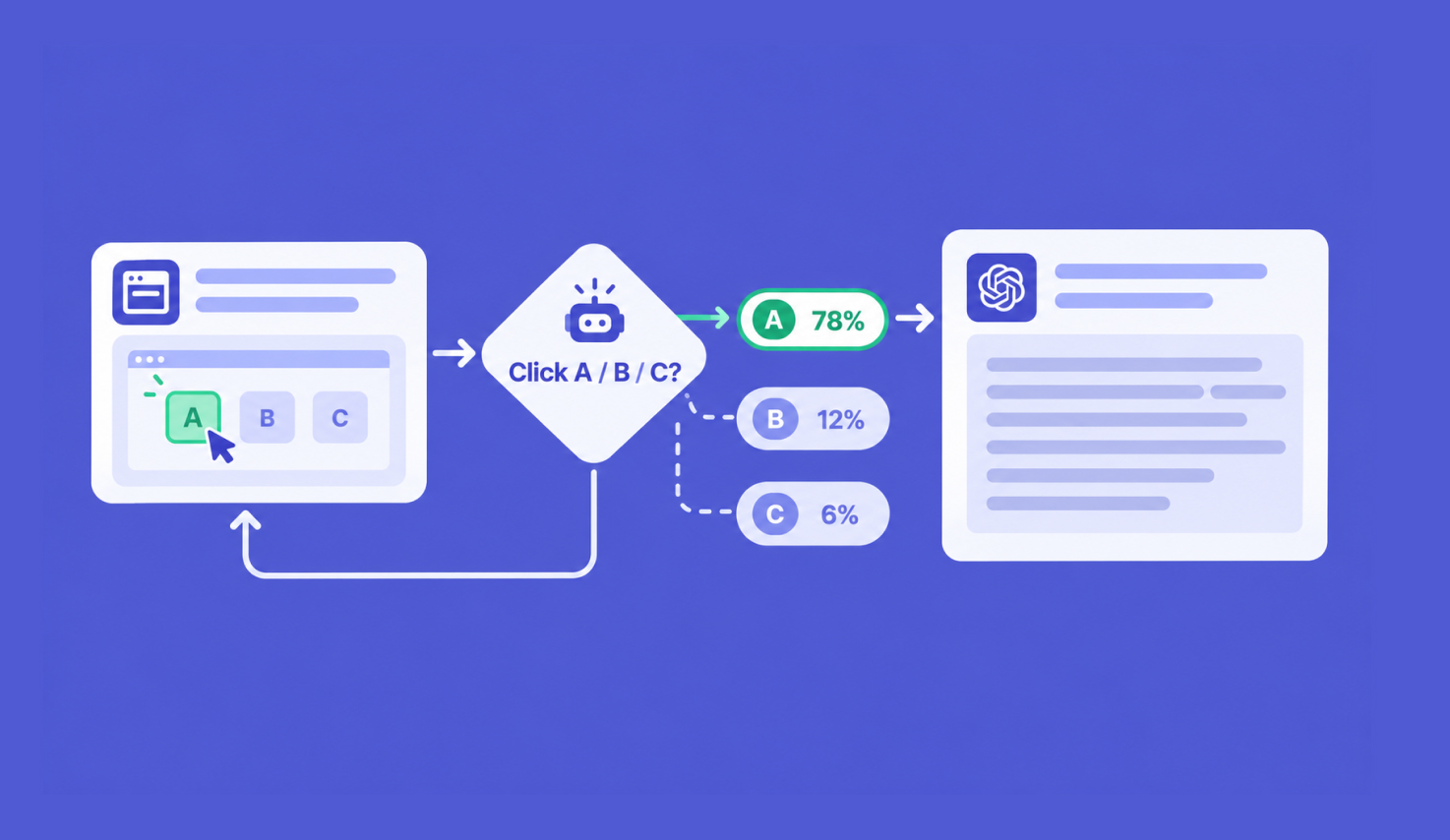
Jev is a new kind of AI model built to make fast, structured decisions rather than write text. For QA teams, that makes it useful for one specific job: the small judgment calls inside a test loop, like "which element should the agent click next?" or "is this failure flaky or a real regression?" It is not a replacement for assertions, and its headline numbers have not been independently verified yet.
This guide covers what Jev is, where it helps testers, where it doesn't, and how to think about it next to the tests you already run. For the bigger argument about matching the model to the decision, read Alex Martins on what Jev means for software testing.
THE SHORT ANSWER
- What it is: Jev is a decision model from TypeSafe AI, launched in early access on September 15, 2026. It returns a choice, a score, or a yes/no probability, not text.
- Where it helps: small, bounded QA decisions such as failure triage, choosing an agent's next action, semantic checks on UI text, bug routing, and guardrails on AI agents.
- Where it doesn't: math, counting, dates, colors, and anything that needs an explanation.
- What to watch: its speed and cost figures are vendor-reported, and there's no independent QA benchmark yet.
- How to use it: keep deterministic assertions as your source of truth. If you run Katalon Studio, nothing in your suites needs to change to try it.
Jev in brief: a decision model, not an LLM
Jev is a "System One" model from TypeSafe AI, released in early access on September 15, 2026. You send it a state (text or JSON) and one or more typed questions. It returns a structured answer with probabilities, not a paragraph.
It answers three kinds of question:
- Choice: pick one option from a list you define
- Score: place something on an ordered scale you describe
- Noul: a yes/no judgment, returned as the probability that the answer is yes
Because the answer must be one of the options you defined, Jev can't return malformed output your code fails to parse [1]. That is a different guarantee from being right, which we come back to below.
If you want the full explainer, read What is Jev? A plain-English guide for testers.
Why does Jev matter for test automation?
Large language models are good at the parts of testing that need reasoning: drafting test cases from requirements, writing scripts, explaining a failure. They're built to generate text, though, so even a one-word decision comes back as generated text your code has to parse. In a loop that makes dozens of small decisions, that time and cost add up.
Jev is built for those small decisions only. TypeSafe reports end-to-end response times of 70 to 500 milliseconds. Early independent demos are in that range:
- Jason Arbon connected Jev to Playwright and ran 63 probes against a deliberately buggy storefront. The loop made 126 Jev calls in 24.3 seconds of active testing, with a median round trip of 131 ms.
- Callstack paired Jev with its open-source agent-device tool for mobile QA. A single test run took 14 seconds and cost $0.0023 in inference.
Cost is the other half. Jev is priced at $0.042 per million input tokens, and output is not billed. For a team running AI checks on every build, that changes what is affordable to run.
Where can Jev help QA teams?
These are the patterns that have public, working examples today. Each one is a bounded decision with a short list of possible answers.
1. Triage failed tests in CI
A red build with 40 failures is mostly noise. The open-source jev-ci-triage project sorts each failure into regression, flaky, environment, test data, or unknown. Deterministic rules decide what they can first (for example, a test that failed then passed in the same run is flaky). Jev only sees the ambiguous cases, and anything below 0.75 confidence goes to a human.
If you run Katalon Studio Enterprise, part of this already exists. AI failure analysis reads the logs of failed tests, explains each failure in plain language, and tags it with one of eight categories, including Application Under Test (AUT) Issue, Test Script Issue, Test Data Issue, and Environment Issue. When confidence is low, it falls back to "Others." A Jev step is an option if you want your own rules-first classifier in the pipeline, or a different set of categories.
2. Choose the next action in exploratory agents
In both Arbon's web demo and Callstack's mobile demo, Jev read a structured snapshot of the screen and picked the next action from a list.
3. Check things a string match can't
Some checks are about meaning. Does this error message tell the user how to fix the problem? Is this confirmation text consistent with the order? A Noul question can score that, and you decide what probability counts as a pass.
4. Route bugs and logs
Classifying incoming defects by component or severity is close to TypeSafe's own headline use case of ticket routing. The Score primitive's documentation example is literally a bug severity scale, from "cosmetic" to "blocking issue; no workaround exists."
5. Guard what your AI agents do
LangChain uses Jev to classify risky tool calls and block them before they run. If you let AI agents act on a test environment, the same pattern can stop an agent from deleting data or leaving the environment it should be in.
The pattern across all five: Jev makes a small call, and your code decides what to do with it.
When is Jev the wrong tool?
TypeSafe publishes a list of Jev's known weak spots, and several hit common test checks directly:
- Math and counting. Cart totals, item counts, pagination. Do these in code.
- Dates and times. Jev reads dates as text, so it can't reliably tell which date comes first.
- Colors and numeric formats. Hex values and RGB triples are a known weakness, and Jev can't read screenshots at all [4][5].
- Anything you need explained. Jev returns an answer and probabilities, not reasoning. It won't tell a developer why a build failed [10].
It also doesn't write tests, summarize runs, or chat. That's still LLM work, and in Katalon Studio it's what the Katalon AI Assistant (Kai) is for.
What are the risks of using Jev in testing?
Jev launched on September 15, 2026, and is still in early access. Here is what a careful test lead should weigh.
The benchmarks are the vendor's. TypeSafe ran its own evaluations, acknowledges possible design bias, and says of its headline speed and cost figures: "we expect that these are on the higher end of real world gains." As of late September 2026, there is no independent benchmark of Jev's decision quality. The first independent comparisons are promising: Lightfield found Jev matched or beat three Claude models on three 100-item text benchmarks without reasoning enabled. Those are general text tasks, though, not QA tasks.
"Can't hallucinate" is narrower than it sounds. A constrained answer can still be the wrong option. As one early review put it, the schema "does nothing to stop the model from picking the wrong option." Arbon's demo shows what that looks like in practice: one normal checkout scored 0.49 for expected behavior and 0.47 for a bug, a near coin flip, and an earlier run falsely flagged a normal add-to-bag.
Answers can change under you. The jev-latest alias moves when a new release ships, "so the answers behind it can change without a change on your side" [5]. For regression testing, that's a silent variable. Pin a specific version.
Page text can attack the model. Jev is susceptible to injected instructions and misleading framing [9]. In testing, the state you send is often page content or log output you don't fully control.
Data and availability. TypeSafe says Jev is not trained on customer requests, and offers zero data retention for enterprise customers. It is a hosted service with published rate limits (1,200 requests per minute) [5]. Decide in advance what your pipeline does when it's unavailable. The safe default is "unknown," never "pass" [6].
Where does Jev fit in a QA stack?
The public QA experiments with Jev land in the same place [3][6]: rules and assertions first, Jev only for the calls they can't make. Here's how that maps to a stack you may already run:
| Layer | What it does | Examples | In a Katalon stack |
|---|---|---|---|
| Deterministic tests and assertions | Decide anything with a precise expected result | Exact values, status codes, totals, dates, element state | Katalon Studio test cases, run locally or with Katalon Runtime Engine (KRE) in CI |
| Jev (optional) | Make bounded judgment calls, fast and cheap | Next action, failure category, "did this step work?", severity | A pipeline step or custom keyword you add |
| LLMs | Generate and explain | Draft test cases, write scripts, explain failures | Katalon AI Assistant (Kai), AI agents that draft test cases from requirements |
| Record | Keep evidence of what was tested and approved | Traceability, approvals, audit trail | Katalon TestOps and Katalon True Platform |
Arbon's own recommendation after his demo is the right rule of thumb: "use deterministic assertions wherever the expected result is already precise." Jev earns its place in the gaps between those assertions, where a rule can't decide and a full LLM call is more than the decision needs.
The last layer is the one teams skip. Jev returns an answer and probabilities, not its reasoning [10]. If an AI call labels a failure as flaky and nobody checks, you've lost track of why a test stopped counting. Whatever makes the call, keep a record of what the AI decided, what a person approved, and what changed. That's the problem Katalon True Platform is built around: one system of record for manual, automated, and AI-generated testing, with traceability and approvals. More on that in test management in the AI-driven era.
How does Jev work with Katalon Studio?
Nothing in your existing suites needs to change to try Jev. Katalon doesn't have a native Jev integration, and for the patterns that work today you don't need one: Jev sits beside your tests, not inside the test engine.
Your base layer stays the same. Katalon Studio supports deterministic execution for regulated environments and is usable with little to no AI, and KRE runs your suites from the command line in any CI system, inside your own infrastructure. That's the layer to keep as your source of truth, whatever AI you add on top.
Two practical places to try Jev:
- After the run: add a triage step to your pipeline that reads the KRE test reports, applies rules, and asks Jev only about the failures the rules can't classify. On Katalon Studio Enterprise, compare it against the built-in AI failure analysis before you add another moving part.
- Inside a test: wrap a call to the Jev API in a custom keyword for semantic checks on UI text, and start it as a soft check that logs a warning rather than failing the build.
Kai and Jev do different jobs. Kai helps you write and understand tests, using the model provider you choose: Katalon's own AI service, OpenAI, Azure OpenAI, Gemini, AWS Bedrock, or an OpenAI-compatible provider. Jev doesn't generate text, so it isn't a Kai provider and isn't meant to be.
The short version
Jev is fast, cheap, and structured, and that suits the small decisions inside AI-driven testing. It is also new, vendor-benchmarked, and capable of confident mistakes. Keep your deterministic suite as the source of truth. Then start small: pick one decision, put rules in front of it, pin the model version, and compare Jev's answers against a set of past failures your team has already labeled. If it doesn't beat your rules on that set, you've lost a week, not a release.
Sources
- TypeSafe AI, Introducing System One Models & Jev, September 15, 2026
- TypeSafe docs, Primitives
- Jason Arbon, I Put Jev in a Playwright Browser Testing Loop. It's fast, but…, September 2026
- Mike Grabowski, Callstack, Exploring Jev for AI-Driven QA with agent-device, September 17, 2026
- TypeSafe docs, Models
- jev-ci-triage, GitHub (MIT license, early-stage demo)
- TypeSafe docs, Score
- Sydney Runkle and Hunter Lovell, LangChain, Building a harness with Jev, September 17, 2026
- TypeSafe docs, Jev 1.13 jaggedness
- Luis Chavez-Mattos, MindStudio, 12 Jev Use Cases Tested: Where This Decision-Only AI Actually Fits, September 20, 2026
- Layer3 Labs, Jev Benchmarks: How Accurate Is TypeSafe AI's Model?, September 22, 2026
- Ves Stoyanov, Lightfield, Testing TypeSafe Jev on Text Understanding, September 20, 2026
- Anthony Maio, Jev: The Language Model That Won't Talk, September 16, 2026
- Katalon Docs, Katalon Runtime Engine overview
- Katalon Docs, Katalon AI Assistant preferences
- Katalon Docs, AI failure analysis
FAQs
What is Jev used for in QA?
Small, bounded decisions inside a test loop: triaging failed tests, choosing an AI agent's next action, checking UI text for meaning, routing bugs, and blocking risky agent actions. It returns a choice, a score, or a yes/no probability, not text.
Can Jev replace assertions in my tests?
No. Use assertions wherever the expected result is precise. Jev is for judgments a rule can't make, and it can still pick the wrong option.
How fast is Jev?
TypeSafe reports 70 to 500 ms end to end. An independent Playwright demo measured a 131 ms median round trip.
Is Jev accurate enough for QA?
There's no independent QA benchmark yet. Early general text tests are strong, but you should measure it on your own labeled failures before trusting it.
Does Katalon Studio integrate with Jev?
Not natively, and your existing suites don't need to change. You can call the Jev API from a custom keyword, or from a pipeline step after a Katalon Runtime Engine (KRE) run. If you want failed tests categorized today, AI failure analysis in Katalon Studio Enterprise already does part of this.
|
-1.png)
