


.svg)

Before every session, I used to type some version of this:
Context: we use the custom keyword library for all waits, never raw WebUI calls. Locators are XPath-first with attributes as fallback. Smart Locator is a fallback, not a default. Test cases live under Test Cases/Regression/<module>. Feature files follow our agreed Gherkin style. Now: write a test case for the checkout flow.
Sixty-two words of setup, and all of it gone the moment I closed the window.
Here is the same request in week two, after the assistant had learned how my project works:
Write a test case for the checkout flow.
That is the whole feature. Everything below is how it works and what I learned building it.
THE SHORT ANSWER
Katalon AI Assistant chat memory, at a glance:
• Remembers durable facts about you and your project, and applies them in later chats and after a Studio restart
• Never saves secrets or credentials, and skips temporary details like a ticket's current status
• Opt-in, under Agent mode in Capabilities settings, where you can review, edit or clear what is saved
• Stored locally and tied to your Katalon account: not synced across machines, and not shared with your team yet
You can also paste a memory export from ChatGPT or Claude straight into a chat and keep the context you already built elsewhere.
Every automation project has rules that live nowhere except in your head
Think about what your team has actually agreed on. Use the custom keyword library, do not call raw WebUI. Locators go XPath-first, with attributes as fallback. New test cases go in a specific folder, not wherever the wizard defaults to. Feature files stay in the Gherkin style the team settled on after two long arguments about it.
None of that is written down anywhere an assistant can read. It lives in your head, in code review comments, and in the habits of whoever has been on the project longest. So you type it in at the start of a session, get good output for twenty minutes, close the window, and lose all of it. Tomorrow you type it again.
If you have worked with coding agents outside of testing, you have probably met the workaround for this: a file in the repository that spells out the project's conventions so the assistant reads them on every run. AGENTS.md is the open version of that idea, and GitHub's custom instructions are Copilot's. They work. They also mean someone has to write the file, and then remember to update it every time the team's mind changes.
What we built is that idea without the file. You tell Katalon AI Assistant how your project works, in the same chat where you were already working, and it keeps what will still be true next month.
Bring the context you have already built somewhere else
Plenty of engineers have already spent months teaching a general-purpose assistant how their framework works. That effort should not be stranded in another tool, so we made it portable.
Both ChatGPT and Claude let you export what they have saved about you. You can paste that export straight into an Agent mode chat and tell the assistant to keep it. One message. No import wizard, no file format to get right.

What happens next is the part I did not expect to be the most satisfying. It reads through the export and sorts it, rather than filing everything you handed it. In my case it dropped the ticket statuses on its own, which was correct: those go stale in days. That behavior is deliberate and documented. The assistant keeps durable facts about you and your project, and skips temporary information like the current state of a ticket or a one-time task. It also tells you what it skipped instead of silently deciding on your behalf.
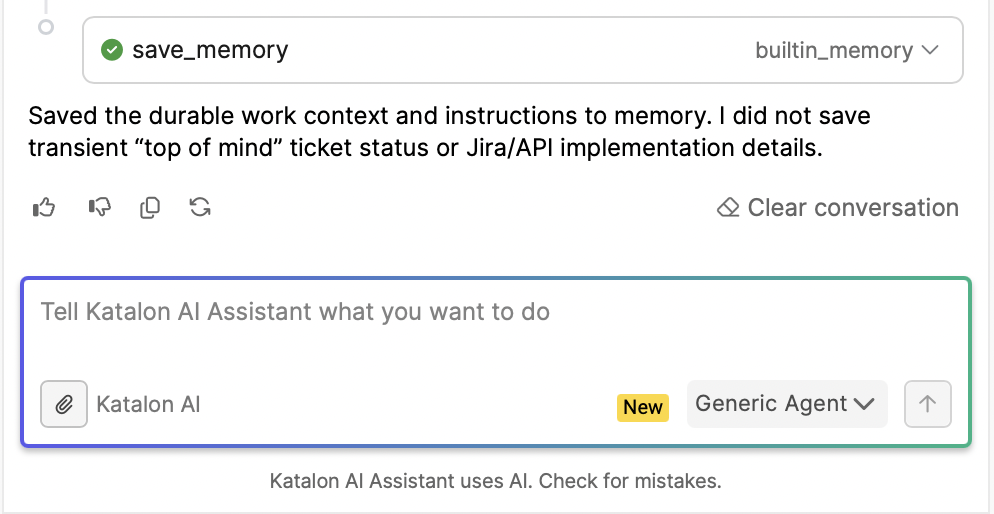
Then you can just ask what it knows about you, and read the list back.
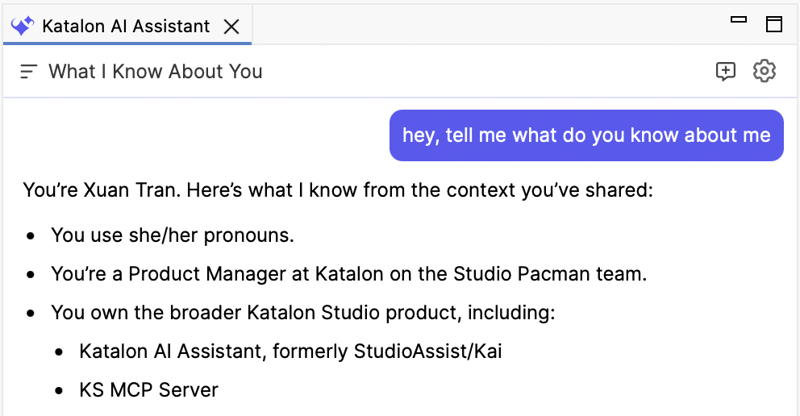
The import is a head start. The accumulation is the point.
Importing is a nice first day. What actually changes how the tool feels is what builds up on its own, one correction at a time.
You say once that new test cases go under a specific folder structure. Once that your team wraps waits in a custom keyword instead of scattering waitForElementVisible through every test. Once that Smart Locator is your fallback, not your first choice. Next week you do not say any of it again, and the assistant still gets it right.
The prompt you type gets shorter, because the standing instructions have moved out of the prompt and into the assistant.

The obvious question is what happens when the team changes its mind, because teams do. You say so, in the chat, the way you would tell a colleague: we moved off that locator strategy. The memory updates. There is no editing screen to hunt for and no ceremony around it, though the list is there if you would rather go look.
Why a small feature changes the feel of the thing
The old failure mode of AI in test automation was never really code quality. It was that every session started from zero, so the burden of context stayed permanently with you. You were the memory. The assistant would produce a perfectly valid test case that ignored every convention your team had agreed on, and you would fix it by hand.
Remembering removes a repeated tax. What is left reads less like operating a tool and more like working with someone who was there yesterday.
What it keeps, what it does not, and where to find it
Worth being precise about this, because "the assistant has memory" covers a lot of ground.
It keeps durable facts about you and your project, and applies them in later chats and after you restart Katalon Studio. It skips things that go stale, and it makes that judgment itself rather than asking you to sort your own context. Secrets and credentials are never saved, even if you explicitly ask for them to be. That is a hard rule, not a default you can flip.
Memory is not the same thing as the context window, and the two get conflated constantly. The context window is how much the model can hold in view during a single exchange, and it resets. Memory is a small set of facts that persists between conversations and survives a restart. Microsoft's write-up on agent memory is a good short explanation of the distinction, and IBM and AWS both cover the durable-versus-transient split in more depth if you want the general theory rather than our implementation of it.
Two limits are worth knowing before you invest in it. Chat memory is stored locally and tied to your Katalon account, so it does not sync across your machines and it is not shared with your team. If your colleague wants the assistant to know the same conventions, they teach it separately for now. That is a real constraint and I would rather you hear it from me than discover it.
The controls live under Agent mode, in Capabilities settings. Turn project memory on there, and the same place shows you what has been saved, when it was last updated, and lets you open or clear the list. A checkbox, not a black box.
If you are trying it this week
- Conventions, not state. "We use the custom keyword library for all waits" is worth keeping. "The login suite is failing" is not, and it will be wrong by Thursday anyway.
- Import first. If you have an export from another assistant, paste it in before anything else. Cheapest setup you will ever do.
- Read it once. Open the memory list after your first week. Good sanity check, and you will spot anything you would rather it forgot.
- Correct out loud. Saying "we moved off that locator strategy" updates the memory. No editing screen required.
Chat memory is available now in Katalon Studio 11.5.0, alongside the refreshed PDF reports and the mobile recorder work. The full release notes have the rest of it, and if you want the wider picture of what Katalon AI Assistant does across the platform, that is the place to start. Already comfortable in Agent mode? The MCP use cases piece pairs well with this one.
I built this one, so I have a direct stake in getting it right. If you try the import path, I would like to hear what carried over cleanly and what did not.
|
